프리미엄 도메인 파워를 해제하세요
구매. 판매. 관리.
100만 명 이상의 고객에 의해 800만 개 이상의 도메인 관리 신뢰받음
업계를 앞서가는 가격
선도적인 제어판 + API선도적인 제어판
무료 개인정보 보호 및 보안
500+ 도메인 확장자
24/7 내부 지원도메인 등록
경쟁력 있는 도메인 가격, 전문가 수준의 도구, 무료 개인정보 보호 기능으로 온라인 여정을 시작하세요. 500개 이상의 TLD 중에서 완벽한 도메인 이름을 찾아보세요.
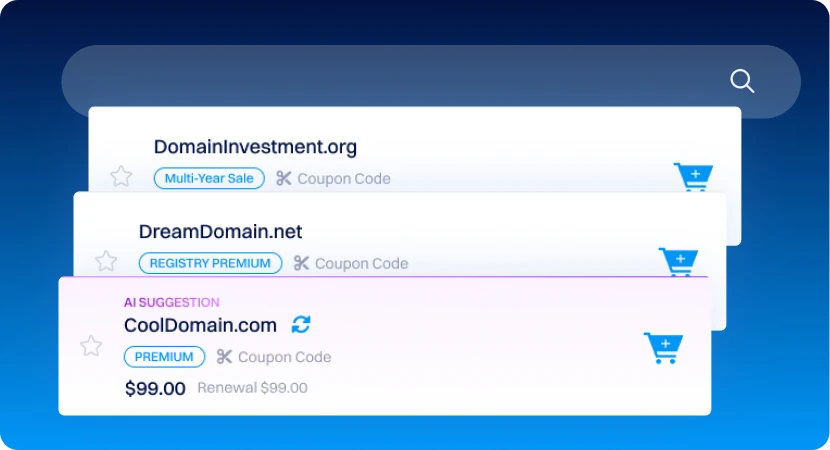
광범위한 획득 도구를 사용하여 도메인 포트폴리오에 힘을 불어넣으세요.
도메인 백오더
만료되는 도메인에 대한 백오더를 설정하여 드롭되는 도메인을 바로 계정으로 가져오세요. 우리의 백오더 시스템이 힘든 작업을 대신해줍니다.
브랜딩, 이메일 및 웹사이트 도구
브랜드 도구
구축, 개선 및 관리. 온라인 존재감을 높이는 데 필요한 모든 것을 제공합니다.
Dynadot를 선택하는 이유
저렴한 가격, 신뢰성, 투명성 및 전담 지원에 중점을 둔 플랫폼을 통해 도메인을 관리하세요.
함께 성장하세요
온라인에서 성공하는 데 도움이 되는 다양한 리소스를 발견하세요.
자주 묻는 질문
도메인 이름을 어떻게 등록하나요?
저희와 함께 도메인 이름을 등록하는 것은 간단합니다:
1. Go to the 도메인 이름 검색 페이지.
2. Enter your desired domain name in the search bar to see if it's available.
3. Click the shopping cart icon next to your chosen domain to add it to your cart.
4. Click on the cart, then select "View Cart" to review your items.
- Note: Domain privacy is added automatically for eligible TLDs unless you've 도메인 기본 개인정보 보호 설정을 조정했습니다.
5. Click "Checkout" to complete your order, and our system will take you through the checkout process.
처리되면 도메인 등록을 확인하는 확인 이메일을 받게 됩니다.
도메인 등록에 포함된 것은 무엇인가요?
Dynadot으로 도메인을 등록하면 도메인 경험을 향상시키는 다양한 무료 도구와 기능에 접근할 수 있습니다:
- 완전한 도메인 소유권
- 무료 로고 빌더
- 무료 이메일 주소
- 무료 웹사이트 빌더
- 무료 도메인 프라이버시 (for eligible TLDs)
- 무료 DNS 관리
- 도메인 포워딩
- 전체 API 접근
- 포괄적인 도메인 관리 도구
These features are available with every domain registration, making it easy to manage and personalize your domain right from your Dynadot 계정.
기존 도메인을 Dynadot으로 이전할 수 있나요?
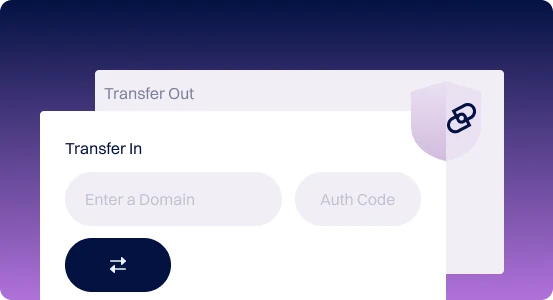
예, 도메인을 Dynadot로 이전할 수 있습니다! 방법은 다음과 같습니다:

1. Before you start: Ensure your domain is at least 60일 경과 and unlocked. Obtain the 인증 코드 from your current registrar. We recommend initiating the transfer at least two weeks before the domain's expiration.
2. Start the transfer: Visit our 도메인 이전 페이지, enter your domain and authorization code, and then click Transfer. The domain is added to your cart and you can proceed to checkout.
3. After completion: You'll receive email updates as the transfer progresses, including confirmation and completion emails.
One year is usually added to your domain's expiration date upon transfer, 일부 예외를 제외하고.
도메인 이름 비용은 얼마인가요?
Explore the list of 등록, 갱신 및 이전 가격 for your preferred domain extension.
어떤 결제 방법을 받나요?
We accept a 다양한 결제 방법, including credit/debit cards, PayPal, Skrill, Alipay, Payoneer, eCash, Bank Wire, Money Orders, Cashier's and Personal Checks, Bank Transfers, Apple Pay, UnionPay, Direct Debit (Checking Account), Crypto, and iDEAL, in multiple currencies (USD, GBP, EUR, CNY, CAD, MXN, BRL, INR, IDR, Rp, AU$).
계정 크레딧 is also available for orders, with 대량 가격 또는 슈퍼 대량 혜택 available. For more details, see our 결제 옵션 페이지.
도메인 개인정보 보호를 제공하나요?
Yes, we offer 두 가지 도메인 프라이버시 옵션:
Domain privacy is added automatically with your domain registration, unless you change that in 개인정보 보호 설정. Most top-level domains (TLDs) support privacy protection, 하지만 일부 TLD는 개인정보 보호를 지원하지 않습니다 due to registry restrictions.
- 부분적 개인정보 보호: 이름을 제외한 모든 개인 정보를 숨깁니다.
- 완전한 개인정보 보호: 이름을 포함한 모든 개인 정보를 숨깁니다.
Domain privacy is added automatically with your domain registration, unless you change that in 개인정보 보호 설정. Most top-level domains (TLDs) support privacy protection, 하지만 일부 TLD는 개인정보 보호를 지원하지 않습니다 due to registry restrictions.
도메인 등록에는 얼마나 걸리나요?
Domain registration is usually instant, but for some country-specific domains, it may take a bit longer due to registry restrictions and rules depending on a TLD type (usually ccTLDs have slightly different registration process times.
한 번에 여러 도메인을 등록할 수 있나요?
Yes, you can! Our 대량 도메인 검색 tool lets you easily search for and register multiple domains at once. Simply enter each domain separated by a comma or space, and start your search.
도메인을 등록한 후에는 어떻게 되나요?
도메인 설정을 어떻게 관리하나요?
With Dynadot's extensive 도메인 관리 도구 세트 , 도메인 관리 is simple, centralized, and secure. Key features include:
이 기능들은 작은 규모와 큰 규모의 도메인 포트폴리오 모두의 요구를 충족하도록 설계된 Dynadot의 사용자 친화적인 제어판을 통해 액세스할 수 있습니다.
- 스마트 폴더: Organize domains into folders for easy access and apply
- Settings like Whois 개인정보 보호 or DNS 설정.
- 도메인 기본 설정: TLD별 기본 설정을 포함하여 새 도메인의 기본 옵션을 설정하세요.
- 대량 도메인 조정: 여러 도메인을 한 번에 업데이트하여 시간을 절약하세요.
- 필터링: 필터를 사용하여 계정에서 특정 도메인을 빠르게 찾고 관리하세요.
이 기능들은 작은 규모와 큰 규모의 도메인 포트폴리오 모두의 요구를 충족하도록 설계된 Dynadot의 사용자 친화적인 제어판을 통해 액세스할 수 있습니다.