プレミアムドメインの力を解き放つ
購入。販売。管理。
100万人以上の顧客によって 800万以上のドメインを管理する信頼性
業界をリードする価格
主要なコントロールパネル + API主要なコントロールパネル
無料のプライバシーとセキュリティ
500以上のドメイン拡張子
24/7の社内サポートドメインを登録
オンラインでの旅は、競争力のあるドメイン価格、専門家のツール、無料のプライバシー保護から始めるべきです。500以上のTLDから検索を開始して、完璧なドメイン名を見つけましょう。
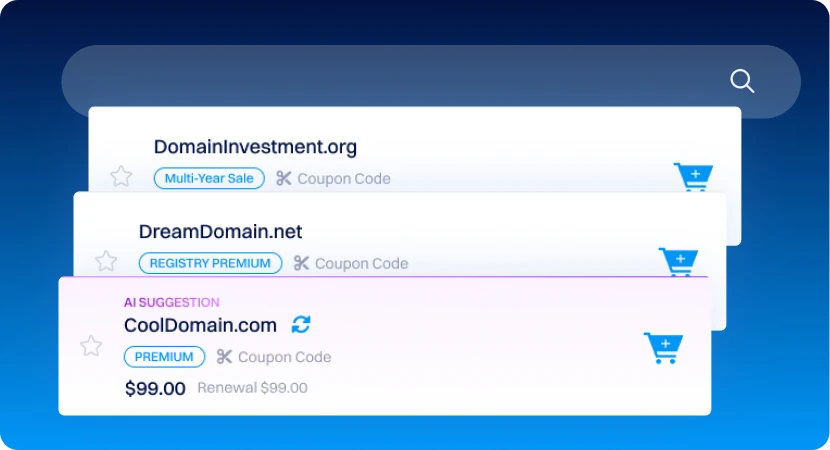
広範な取得ツールを使用してドメインポートフォリオに力を注入。
期限切れドメイン
毎日新しいプレミアム期限切れドメインにアクセス。投資やブランディングに役立つ有価値な期限切れドメインを見つけましょう。
ドメインのバックオーダー
期限切れドメインにバックオーダーを設定することで、ドロップするドメインを直接アカウントに取り込めます。面倒な作業は私たちのバックオーダーシステムにお任せください。
あなたのブランディング、メール、およびウェブサイトツール
あなたのブランドツール
構築、改良、管理。オンラインプレゼンスを強化するために必要なすべてがあります。
なぜDynadotなのか
手頃な価格、信頼性、透明性、そして専用サポートに重点を置いたプラットフォームを通じてドメインを管理しましょう。
私たちと共に成長
オンラインで成功するための多くのリソースをご覧ください。
よくある質問
ドメイン名をどのように登録しますか?
私たちとドメイン名を登録するのは簡単です:
1. Go to the ドメイン名検索ページ.
2. Enter your desired domain name in the search bar to see if it's available.
3. Click the shopping cart icon next to your chosen domain to add it to your cart.
4. Click on the cart, then select "View Cart" to review your items.
- Note: Domain privacy is added automatically for eligible TLDs unless you've ドメインのデフォルトプライバシー設定を調整.
5. Click "Checkout" to complete your order, and our system will take you through the checkout process.
処理が完了すると、ドメイン登録を確認するメールが届きます。
ドメイン登録に含まれるものは?
Dynadotでドメインを登録すると、ドメイン体験を向上させるためのさまざまな無料ツールと機能にアクセスできます:
- 完全なドメイン所有権
- 無料ロゴビルダー
- 無料メールアドレス
- 無料のウェブサイトビルダー
- 無料ドメインプライバシー (for eligible TLDs)
- 無料DNS管理
- ドメイン転送
- フルAPIアクセス
- 包括的なドメイン管理ツール
These features are available with every domain registration, making it easy to manage and personalize your domain right from your Dynadotアカウント.
既存のドメインをDynadotに移転できますか?
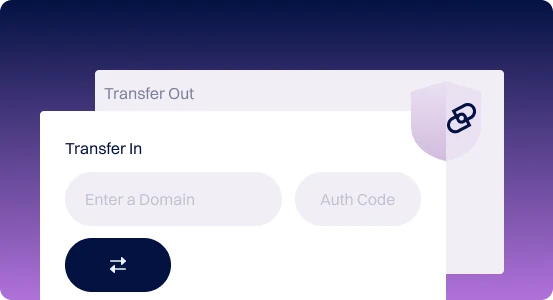
はい、ドメインをDynadotに転送できます!方法は次のとおり:

1. Before you start: Ensure your domain is at least 60日経過 and unlocked. Obtain the 認証コード from your current registrar. We recommend initiating the transfer at least two weeks before the domain's expiration.
2. Start the transfer: Visit our ドメイン移転ページ, enter your domain and authorization code, and then click Transfer. The domain is added to your cart and you can proceed to checkout.
3. After completion: You'll receive email updates as the transfer progresses, including confirmation and completion emails.
One year is usually added to your domain's expiration date upon transfer, 一部の例外を除く.
ドメイン名の費用はいくらですか?
Explore the list of 登録、更新、および転送価格 for your preferred domain extension.
どのような支払い方法を受け付けていますか?
We accept a さまざまな支払い方法, including credit/debit cards, PayPal, Skrill, Alipay, Payoneer, eCash, Bank Wire, Money Orders, Cashier's and Personal Checks, Bank Transfers, Apple Pay, UnionPay, Direct Debit (Checking Account), Crypto, and iDEAL, in multiple currencies (USD, GBP, EUR, CNY, CAD, MXN, BRL, INR, IDR, Rp, AU$).
アカウントクレジット is also available for orders, with 一括価格またはスーパーバルク特典 available. For more details, see our 支払いオプションページ.
ドメインプライバシー保護を提供していますか?
Yes, we offer 2つのドメインプライバシーオプション:
Domain privacy is added automatically with your domain registration, unless you change that in プライバシー設定. Most top-level domains (TLDs) support privacy protection, ただし、一部のTLDはプライバシー保護をサポートしていません due to registry restrictions.
- 部分的なプライバシー: 名前を除くすべての個人情報を非表示にします。
- 完全なプライバシー: 名前を含むすべての個人情報を非表示にします。
Domain privacy is added automatically with your domain registration, unless you change that in プライバシー設定. Most top-level domains (TLDs) support privacy protection, ただし、一部のTLDはプライバシー保護をサポートしていません due to registry restrictions.
ドメイン登録にはどれくらい時間がかかりますか?
Domain registration is usually instant, but for some country-specific domains, it may take a bit longer due to registry restrictions and rules depending on a TLD type (usually ccTLD have slightly different registration process times.
複数のドメインを一度に登録できますか?
Yes, you can! Our 一括ドメイン検索 tool lets you easily search for and register multiple domains at once. Simply enter each domain separated by a comma or space, and start your search.
ドメインを登録した後はどうなりますか?
ドメイン設定をどのように管理しますか?
With Dynadot's extensive ドメイン管理ツールセット , ドメインの管理 is simple, centralized, and secure. Key features include:
これらの機能は、小規模および大規模なドメインポートフォリオのニーズを満たすように設計されたDynadotのユーザーフレンドリーなコントロールパネルからアクセス可能です。
- スマートフォルダ: Organize domains into folders for easy access and apply
- Settings like Whoisプライバシー or DNS設定.
- ドメインのデフォルト設定: TLD固有の設定を含む新しいドメインのデフォルトオプションを設定。
- 一括ドメイン調整:複数のドメインを一度に更新して時間を節約。
- フィルタリング: フィルタを使用してアカウント内の特定のドメインを迅速に特定および管理。
これらの機能は、小規模および大規模なドメインポートフォリオのニーズを満たすように設計されたDynadotのユーザーフレンドリーなコントロールパネルからアクセス可能です。